Working with industry leaders
We’re a proud partner of these globally recognized brands:








How to use QuillBot's AI YouTube thumbnail maker
1
Enter your requirements
Describe your YouTube thumbnail and choose a style.
2
Refine your results
Refine your YouTube thumbnail by tweaking the style or prompt.
3
Download and share
Download your YouTube thumbnail and upload it to your video.
Why use an AI YouTube thumbnail generator?

Generate ideas
Instantly create multiple iterations of YouTube thumbnails to determine what style you want.

Save time
Create YouTube thumbnails in minutes instead of hours.

Improve your videos
Design YouTube thumbnails that look polished and on-brand.

Tips for creating thumbnails with QuillBot’s YouTube thumbnail generator
Use detailed and specific prompts
Experiment with different styles
Specify colors, text, and video topic
Create multiple drafts and choose one that works for you
Who uses the AI YouTube thumbnail maker?
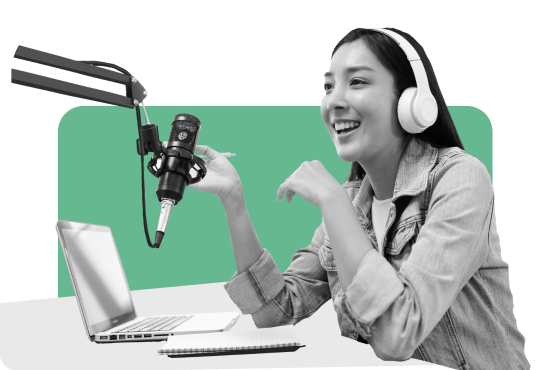
Content creators
Generate YouTube thumbnails that increase clicks and stand out in crowded feeds.

Students
Create YouTube thumbnails for school projects or personal channels.

Small-business owners
Create professional YouTube thumbnails for product videos and tutorials in seconds.


Why writers love us
AI YouTube thumbnail generator FAQs
What is an AI YouTube thumbnail generator?
It’s a tool that uses artificial intelligence to create professional-looking YouTube thumbnails for your videos in seconds. Instead of starting from scratch, you simply enter a prompt and your desired style, and the AI will design a thumbnail tailored to your video concept.
Why are YouTube thumbnails so important for getting views?
Thumbnails act like mini movie posters for your videos, grabbing attention and making viewers curious. A great thumbnail can boost click-through rates, attract new viewers, and help your videos perform better in terms of search results and recommendations.
What is the best size and aspect ratio for a YouTube thumbnail?
The ideal size for YouTube thumbnails is 1280x720 pixels, with a 16:9 aspect ratio. This size looks great on all devices and ensures your thumbnail stays sharp and clear. Our AI YouTube thumbnail generator automatically produces thumbnails in this format.
How does QuillBot’s AI YouTube thumbnail generator work?
Our tool analyzes your input prompt and automatically creates a customized thumbnail design. It combines the imagery, text, and colors you describe to produce a thumbnail optimized for YouTube. The AI also learns from popular trends to create thumbnails that are visually appealing and relevant.
Can I create a thumbnail from a text prompt?
Yes, simply describe the style, theme, or elements you want, and our AI will then interpret your prompt to create a personalized thumbnail design. Here's an example of a prompt: "Cooking YouTube thumbnail: pasta recipe video with vivid food imagery."
Can QuillBot’s YouTube thumbnail generator create thumbnails in a specific creator's style?
Absolutely. If you mention the name of a popular creator in your prompt, the tool can mimic their style by analysing their past thumbnails and replicating their appearances, colours, and layouts. AI Image Generator
You can also use QuillBot’s
What makes a thumbnail “clickable” or eye-catching?
An eye-catching thumbnail usually has bright, clear visuals; bold, easily readable text; and expressive faces or action shots. High contrast, simplicity, and relevance to a video's content also help make a thumbnail irresistible.
What fonts are best for YouTube thumbnails?
Fonts that are bold, clean, and easy to read work best. Sans-serif fonts like Impact, Arial Black, or Montserrat are popular because they stand out well, even at small sizes or on mobile screens. Avoid thin or script fonts, as they can be hard to read in preview mode.